College Football 2026 Without Cable: Stream Any Game on IPTV
August 6, 2026 · 8 min read
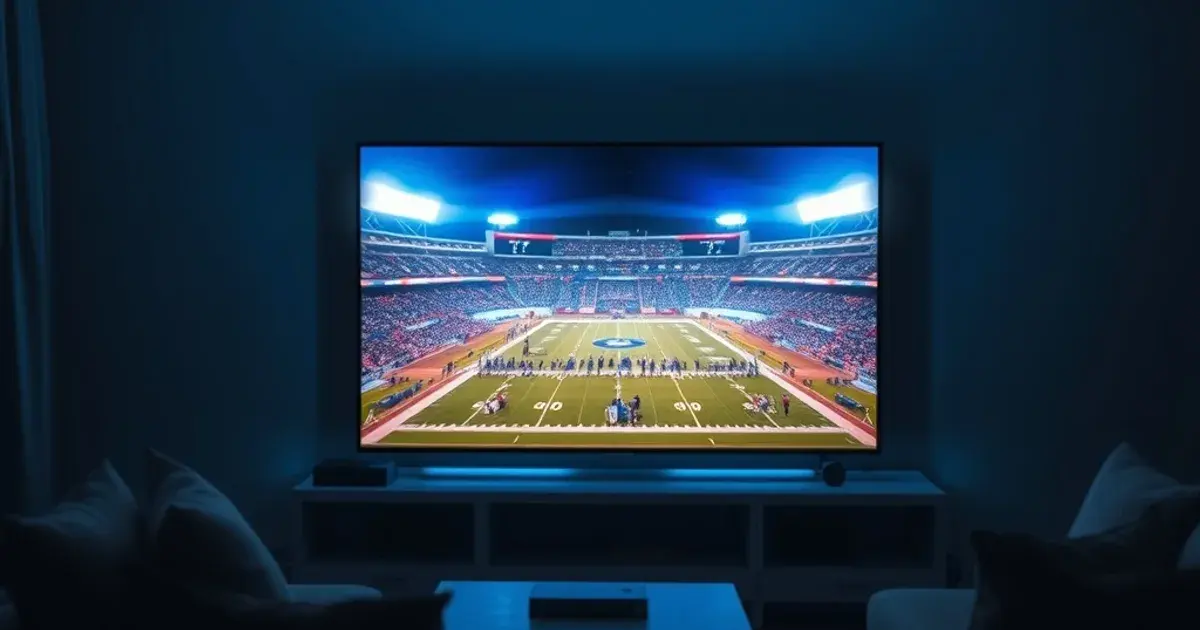
College football season opens August 27–29, 2026, and NFL preseason is already underway as of August 6. For millions of fans, this three-week window is the moment they decide how they're watching the fall — and increasingly, that decision means walking away from cable altogether.
Most cord-cutting guides point fans toward Fubo, Hulu + Live TV, or YouTube TV as the cable replacement. Those services work, but they're built as cable clones: regional blackouts, single-stream limits on base tiers, and monthly bills that creep toward what you were trying to escape. What almost none of them mention is IPTV — a fundamentally different way to get the same channels (and more) with multi-view, no annual contract, and a fraction of the cost.
This guide is specifically about streaming college football through IPTV: what the technology actually gets you, which devices handle Saturday's four-games-at-once reality best, and how to keep a stream from dying during a top-25 shootout that goes to overtime.
Why College Football Drives Cord-Cutting in 2026
No sport tests a streaming setup like college football. Games are scattered across ESPN, ESPN2, FOX, CBS, ABC, and conference-specific networks like the SEC Network, Big Ten Network, and ACC Network — often four or five kicking off in the same three-hour window on a Saturday afternoon. A cable bundle promises access to all of it, but in practice most packages force you into a tier just to unlock the two or three channels you actually watch, while everything else sits unused.
That mismatch is exactly what pushes sports fans toward cord-cutting every August. It's not that they've stopped wanting live TV — it's that they've stopped wanting to pay for channels they never open. College football, more than any other sport, exposes how bloated a traditional package really is, because the games you care about are spread across networks no single 'sports tier' fully covers.
The competitors' answer — Fubo, Hulu Live, YouTube TV — is still a bundle, just a smaller one. It solves the contract problem but not the price-per-channel-you-actually-watch problem. That gap is where IPTV sits.
Not sure which channels cover your team's conference? Ask us directly.
IPTV vs Cable for College Football (Cost + Channels + Flexibility)
The structural difference is simple: cable and cable-replacement streaming services deliver channels through a single managed pipe, priced around bundles built for the average household. IPTV delivers the same broadcast feeds over the open internet through a subscription and an app, which strips out the infrastructure overhead that makes cable expensive in the first place.
For college football specifically, that translates into three practical advantages. First, cost — an IPTV subscription runs well below a cable bill or a Fubo/YouTube TV plan, without a multi-year contract or early-termination fee. Second, channel breadth — a good IPTV lineup covers ESPN's family of channels alongside FOX, CBS, and the conference networks (SEC Network, Big Ten Network, ACC Network) in the same package, rather than splitting them across add-on tiers. Third, flexibility — most IPTV plans are month-to-month, so you're not locked in past bowl season if your viewing habits change.
The one thing IPTV doesn't do is fake local blackout rules or manufacture channels that don't exist — it's a delivery method, not a content source. What you get is what the broadcaster is airing, delivered without the cable-company markup.
What You Need to Stream College Football (Bandwidth, Device, Subscription)
Three things determine whether your Saturday goes smoothly: internet bandwidth, a capable streaming device, and a stable IPTV subscription. Bandwidth matters most on game day because you're competing with every other device in the house — a laptop pulling up stats, a phone checking scores, maybe a second TV in another room. A wired ethernet connection to your main streaming device is the single biggest reliability upgrade you can make before kickoff weekend; Wi-Fi is fine for browsing but adds jitter exactly when a broadcast needs a steady bitrate.
The device matters because not all hardware handles IPTV apps, EPGs (electronic program guides), and multi-view layouts equally well — see our full breakdown in the VeoTT sports channels guide for how each channel category maps to app support.
Subscription quality is the part people underestimate. Two IPTV services with the same channel list can perform very differently depending on server capacity and stream stability during peak load — which is precisely Saturday afternoon in college football season. Our VeoTT subscription guide covers what to check before committing to a plan.
Best Devices for Multi-Viewing Game Days
Apple TV 4K is the strongest all-around option for game-day setups: the A-series chip handles multiple simultaneous decode streams without stutter, tvOS apps tend to get IPTV multi-view support first, and output quality holds up on a big screen. If you're starting from zero, the apple-tv-iptv-setup-guide walks through getting an IPTV app installed and configured correctly the first time.
Fire Stick (4K Max in particular) is the budget-friendly pick and the most common entry point for cord-cutters, largely because it's cheap and familiar. It handles single-stream 4K well; multi-view performance depends more on the app than the hardware. The veott-firestick-setup guide covers sideloading and app setup specific to Fire OS.
Roku and Android TV both work but sit a notch below Apple TV and Fire Stick for this specific use case — Roku's app ecosystem is more locked down, and Android TV performance varies wildly by manufacturer. If multi-view during four-games-at-once Saturdays is the priority, Apple TV 4K is worth the extra upfront cost.
Top IPTV Apps for Sports (EPG, DVR, Multi-View Features)
The app you use matters as much as the subscription behind it. For college football, three features separate a good sports IPTV app from a mediocre one: a reliable EPG that actually reflects kickoff-time changes (conference games get flexed for TV constantly), DVR or catch-up functionality so a bathroom break doesn't cost you a touchdown, and genuine multi-view — not just picture-in-picture, but a proper grid that lets you watch two or more games at once without one feed lagging behind the other.
Multi-view is the feature cable and Fubo-style services rarely offer without paying for multiple simultaneous streams or a premium add-on. On a well-configured IPTV setup, watching your team's game in the main window while tracking a rivalry score in a smaller pane is standard, not an upsell.
EPG accuracy is worth testing before the season starts, not during week one. Pull up a Saturday a few weeks out and confirm the guide matches the actual broadcast schedule for ESPN, FOX, CBS, and your conference network of choice.
Accessing Every Conference on IPTV
College football's broadcast rights are split across more networks than any other American sport. ESPN carries the College Football Playoff and a heavy SEC slate. FOX holds Big Ten primetime windows. CBS carries an SEC afternoon package. ABC mixes in marquee national games. Then there are the conference-owned networks — SEC Network, Big Ten Network, ACC Network — which carry the second- and third-tier matchups that still matter for playoff positioning and rivalry weeks.
The reason this matters for cord-cutters: no single 'sports package' on a traditional or cable-replacement service reliably covers all of these without upgrading tiers. A properly built IPTV channel lineup carries the major broadcast networks and the conference networks side by side, so you're not toggling between three different logins to catch every game on your Saturday list.
If a specific matchup matters to you — a rivalry game, a ranked showdown — it's worth confirming the channel is live in your lineup before kickoff week, not during it. See the setup step below for how to do that quickly.
Preventing Buffering During Peak Kickoff Times
Saturday's 3:30 PM ET window is the single heaviest-traffic moment in college football streaming — it's when the most marquee games kick off simultaneously across networks, and it's when every fan's connection and every provider's servers are under the most load at once. The same is true, to a lesser degree, around noon ET and the 7–8 PM ET primetime slot.
A few habits meaningfully cut buffering risk during these windows. Use a wired connection instead of Wi-Fi for your main TV. Close other bandwidth-heavy activity in the house before kickoff — a 4K download or a video call will fight your stream for bandwidth. Avoid restarting your app or device mid-stream during the first few minutes of a big window, since that's exactly when servers are busiest re-establishing connections. And if your subscription supports multiple server locations, test which one gives the most stable connection from your area before the season starts, not during a tied fourth quarter.
Buffering during a close game in the final minutes is the single biggest source of cord-cutter regret — it's worth the ten minutes of setup to avoid it.
Kickoff is three weeks out — get your sports lineup locked in before Week 1.
Getting VeoTT Ready for College Season
With kickoff three weeks out, the smart move is getting your setup tested now, not on opening Saturday when server load is highest and support queues are longest. That means: confirm your device (Apple TV 4K, Fire Stick, or otherwise), install and configure your IPTV app, and verify the specific channels you'll actually watch — ESPN, your conference network, whatever regional feed carries your team.
For a broader look at why IPTV reliability holds up under exactly this kind of high-demand moment, see our piece on why IPTV holds up when it matters. It's the same infrastructure question that decides whether your Week 1 matchup streams clean or stutters through the fourth quarter.
Once your device and app are set, the remaining step is just picking a subscription with the channel coverage and stream stability this guide describes — and getting it running before the first Saturday, not during it.
Frequently asked questions
Is IPTV legal for streaming college football?
IPTV is a delivery technology — internet-based transmission of TV channels — not inherently illegal or legal on its own. Legality depends on whether the provider has proper rights to distribute the channels it offers. Choose a subscription from a provider that's transparent about its channel sourcing, the same due diligence you'd apply to any streaming service.
Do I need a VPN to stream college football on IPTV?
Not for the service to function, but many users run a VPN for general privacy on any streaming connection. It's a personal preference layer, not a requirement — check your provider's specific guidance since VPN use can occasionally affect connection routing.
How much bandwidth do I need for multi-view college football streaming?
Bandwidth needs scale with how many simultaneous streams and what resolution you're running. A single HD stream needs modest bandwidth; running two or more streams at once in a multi-view layout, especially in 4K, needs meaningfully more headroom. If you're multi-viewing regularly, a wired connection and a higher-tier internet plan pay for themselves in reliability.
Can I watch multiple college football games at once on IPTV?
Yes — multi-view is one of IPTV's core advantages over traditional cable-replacement services. The exact layout and number of simultaneous streams depends on your app and device, with Apple TV 4K generally handling multi-view most smoothly.
What happens if a channel goes down during a big game?
Server issues can affect any streaming provider, IPTV or otherwise. What separates a good provider is how fast it resolves outages and whether it offers alternate server locations or backup feeds. This is worth confirming before the season, not discovering mid-game.
Is IPTV cheaper than Fubo or YouTube TV for college football?
IPTV subscriptions generally run below cable-replacement bundles like Fubo or YouTube TV, since they skip the managed-infrastructure costs baked into those services. Exact savings depend on the specific plans being compared, but the cost gap is one of the main reasons cord-cutters look at IPTV in the first place.
Read next: the pricing page or the FAQ.